
Who this is for
- •Moms who lose track mid-session
- •Power pumpers running timed blocks
- •Wearable pump users logging after the fact
Start your free trial on iOS and log your first session in under a minute.
The problem without a dedicated tracker
Phone timers reset and forget which side you finished. A pumping timer should save volume, side, and notes — not just count down minutes. Generic notes apps cannot answer EP-specific questions: Are you hitting enough minutes? Is stash on pace for daycare? When can you realistically stop?
How Stash solves it
Sessions & timer
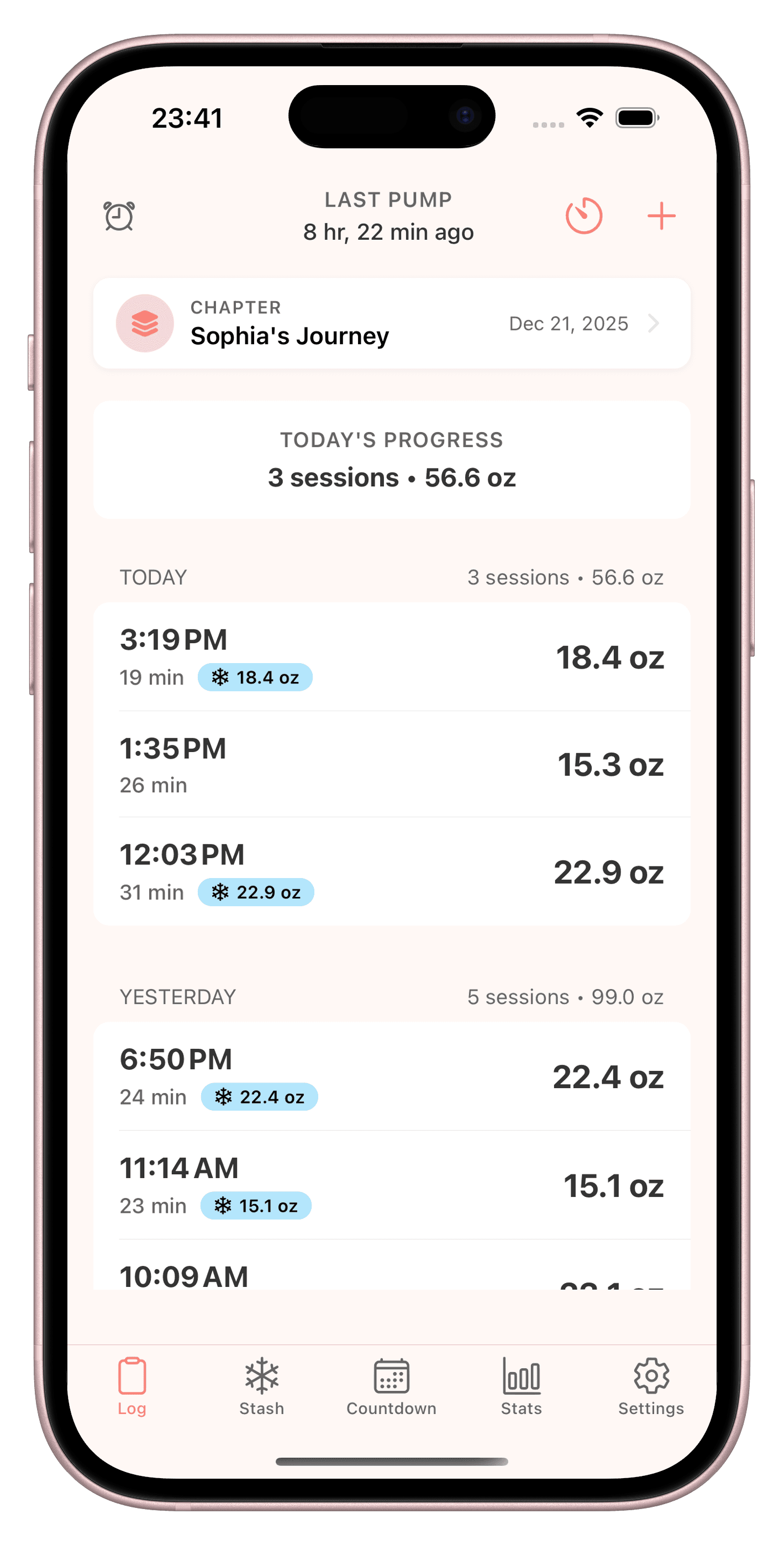
Start a pump timer or log manually when you finish late. Track left, right, or both with volume and notes — built for 8+ daily sessions.
Smart reminders
Tunable pump reminders you can snooze when meetings run long. Keep spacing consistent without rigid calendar blocks.
Stats & trends
Daily and weekly output charts, session streaks, and early dip alerts. See patterns before panic sets in.
See Stash in action
Session logging, stash tracking, and reminders — built for exclusive pumpers.
A day in the life with Stash
At 6 a.m. you log a quick session from bed — timer running while you scroll email. At work, you snooze one reminder, pump in the lactation room, and log volume before walking back. That night you confirm your total freezer stash still covers daycare for the week.
What to look for in a pumping timer app
App Store listings and listicles often bury the features that matter for EP. Use this checklist — no brand names, just criteria:
| Must-have | Nice-to-have | Stash |
|---|---|---|
| Left, right, and both-side logging with optional timer | Home or lock screen widgets for next session and daily totals | Session timer + manual entry when you finish late |
| Daily and weekly output totals without manual spreadsheets | Stop-pumping or stash goal projections | Total stash tracking across multiple locations |
| Total stash volume across freezer, fridge, and daycare | Dark mode for middle-of-the-night pumps | Smart reminders and iOS widgets (iPhone-first — no Apple Watch app) |
| Reminders you can snooze when meetings run over | Export-friendly history if HR or a lactation consultant asks | Output trends and stop-pumping projections |
| Private data — no social feed or oversharing | Works offline for logging when signal is spotty | Built for exclusive pumping — not a generic baby tracker |
FAQ
Is Stash a pumping timer app?
Yes — Stash is an iOS pumping tracker built for exclusive pumpers and combo feeders. It covers sessions & timer and smart reminders without the bloat of a generic baby tracker.
Is Stash free?
Stash offers a free trial on iOS so you can log sessions, track stash, and test reminders before subscribing. Download from the App Store and try for free — not a permanently free app.
Does Stash track left and right sides?
Yes. Log left, right, or both for each session, with optional timer and notes. Daily totals roll up automatically.
Does Stash work on Apple Watch?
Stash is an iPhone and iPad app — there is no Apple Watch app. Use home or lock screen widgets to see your next session, then log on your phone when the pump ends.
Can Stash manage my freezer stash?
Yes. Track total stash volume across locations and connect it to your stop-pumping projections — especially useful if you are building stash for daycare or weaning.
Does Stash work offline?
You can log sessions without a spreadsheet or constant connectivity. Your data stays on your device with privacy-first design.
Related articles
Timer plus the log that matters
Try Stash free on iOS — session log, freezer stash, reminders, and stop-pumping projections in one EP-first app.
Try for free on iOS